
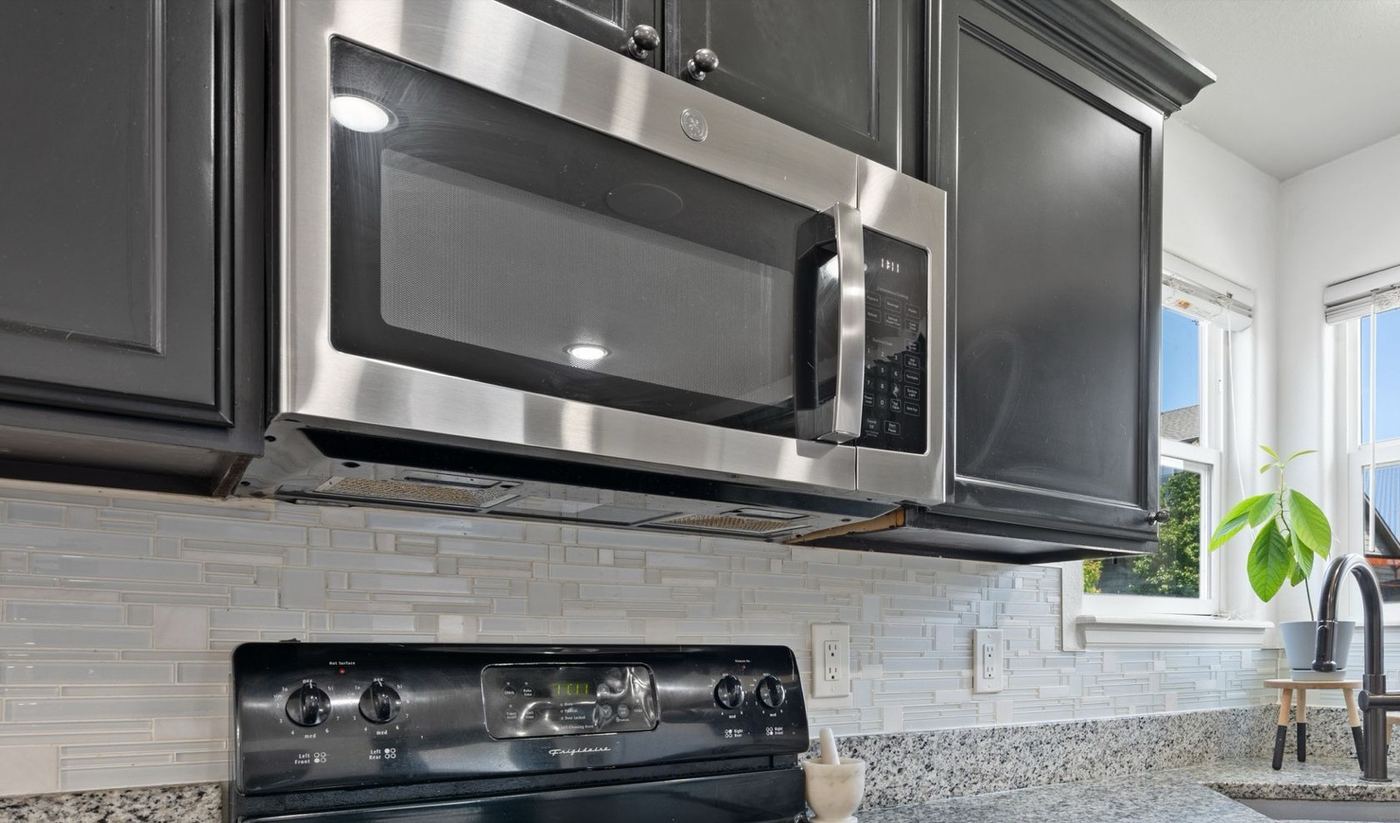
Check the power level and cooking mode first, since a microwave left on low power or defrost can look broken. If the settings are fine and the light, fan, and turntable still work but food stays cold, the cause is usually an internal electrical part. Those parts can hold a dangerous charge, so they are a job for a technician.
When a microwave runs, hums, and spins the plate but leaves food cold, it is easy to assume it is finished. In practice, the cause is sometimes a setting or a blocked vent, sitting alongside several electrical causes that are not safe to check without training.
Below are the eight causes we see most often, ordered from most to least common, along with the signs that separate one from another and an honest answer on whether it is safe to check yourself. Because microwaves hold dangerous electrical charge, more of these are technician jobs than with most appliances.
Jump to a cause
Power level or cooking mode set incorrectly
Microwaves remember their last settings. A low power level, a defrost mode, or a sensor mode left on can make a perfectly healthy microwave heat so weakly that food stays cold, and it looks exactly like a failure.
- Food comes out only slightly warm instead of hot
- The display shows a low power level, defrost, or sensor mode
- Cooking on full power for the same time heats normally
- The settings were changed or the microwave was reset recently
Door not closing or latching fully
A microwave only heats when its door switches confirm the door is closed. A door that does not latch fully, sags on its hinges, or has a cracked latch hook can leave the light, fan, and turntable running while the heating stays off.
- The door needs a hard push to latch, or springs back open
- The door looks crooked or sags when opened
- A hinge or latch hook looks cracked or bent
- The problem comes and goes depending on how the door is closed
Overheating from blocked vents or a dirty filter
Microwaves have thermal protection that shuts off heating when the unit gets too hot. Grease on an over-the-range filter, dust in the vents, or a unit boxed in with no airflow can trigger it again and again.
- It heats for a short time, stops, and works again after cooling
- The microwave or the area around it feels very hot
- The grease filter or vent openings are clogged
- It sits in a tight cabinet with little clearance
Burnt or damaged waveguide cover
A small cover on the inside wall protects the part that feeds microwave energy into the cavity. Food splatter and grease can burn it, causing sparks and weak or uneven heating.
- Burn marks or a dark spot on the inner side wall
- Crackling or sparking sounds while it runs
- Food heats unevenly or barely at all
- Grease and splatter have built up inside for a long time
Blown thermal fuse
The thermal fuse is a one-time safety part. When the microwave overheats, it blows and cuts power to the heating system for good, while the light, fan, and turntable keep working normally.
- It stopped heating suddenly after running hot or with blocked vents
- The light, fan, and turntable still work
- There is no humming when it should be heating
- It was run for a long time or empty just before it failed
Failed door interlock switch
The interlock switches are small safety switches that the door presses when it closes. If one wears out or breaks, the microwave may refuse to heat even though the door looks and feels fine.
- Heating only works if the door is held in a certain position
- The display or light behaves oddly when the door is opened and closed
- The latch hooks look fine but the problem persists
- It started after the door was slammed or forced
Failed high-voltage diode or capacitor
These two parts raise and shape the high voltage the heating system needs. When either fails, the microwave can hum or buzz as if it is heating while the food stays cold.
- A humming or buzzing sound with no heat
- A burning or hot electrical smell when it runs
- The light, fan, and turntable work but food never warms
- It started after a loud pop or a power surge
Failed magnetron or transformer
The magnetron produces the microwaves that heat food, and the transformer powers it. When either wears out, the microwave may buzz loudly, heat weakly for a while, and then stop heating entirely.
- Loud buzzing, grinding, or humming while it runs
- A strong burning smell or visible sparks near the back
- Heating weakened over weeks before it stopped
- The other causes were checked and ruled out
Not sure which one matches? Start here
Display, light, and turntable work, but food stays completely cold
- Most likely: blown thermal fuse or diode or capacitor
- Also check: power level and mode first
Heats weakly, or stops partway through a cycle
- Most likely: overheating from blocked vents or waveguide cover
- Also check: door latch
Not sure which one it is?
Skip the guesswork. Tell us what you're seeing and a technician will help pin down the cause.
What to check yourself first
These items are safe to check without tools. Use a microwave-safe cup of water for tests, and never run the microwave empty.
Unplug the microwave before looking inside beyond the door, and never remove the outer cover. Parts inside can hold a dangerous electrical charge even when the microwave is unplugged.
Check the power level and mode. Reset to full power and run a one-minute test with a cup of water.
Check the door. Close it firmly and look for a cracked latch hook or a door that sags.
Check the airflow. Let the microwave cool, clean the grease filter or vents, and clear space around it.
Look inside with the microwave unplugged. Wipe up splatter and check the inner side wall for burn marks.
Repeat the water test after each step. If the water stays cold, stop and call a technician.
When to call a professional
Some signs point straight to a licensed technician rather than a DIY fix. Call for service if you notice any of the following:
- A burning smell, smoke, or visible sparks
- Loud humming or buzzing with no heat
- The water test stays cold after the checks above
- The door is damaged, bent, or will not close properly
- The microwave is still under manufacturer warranty, since a DIY repair can void it
Revive Appliance Repair handles microwave heating problems for homes and businesses throughout Walnut Creek and the surrounding service area. Our microwave repair service covers diagnosis through completed repair, including built-in and over-the-range models, backed by a 90-day labor warranty.
You may also find these guides useful: troubleshooting an oven that is not heating and a stove burner that won't light.