
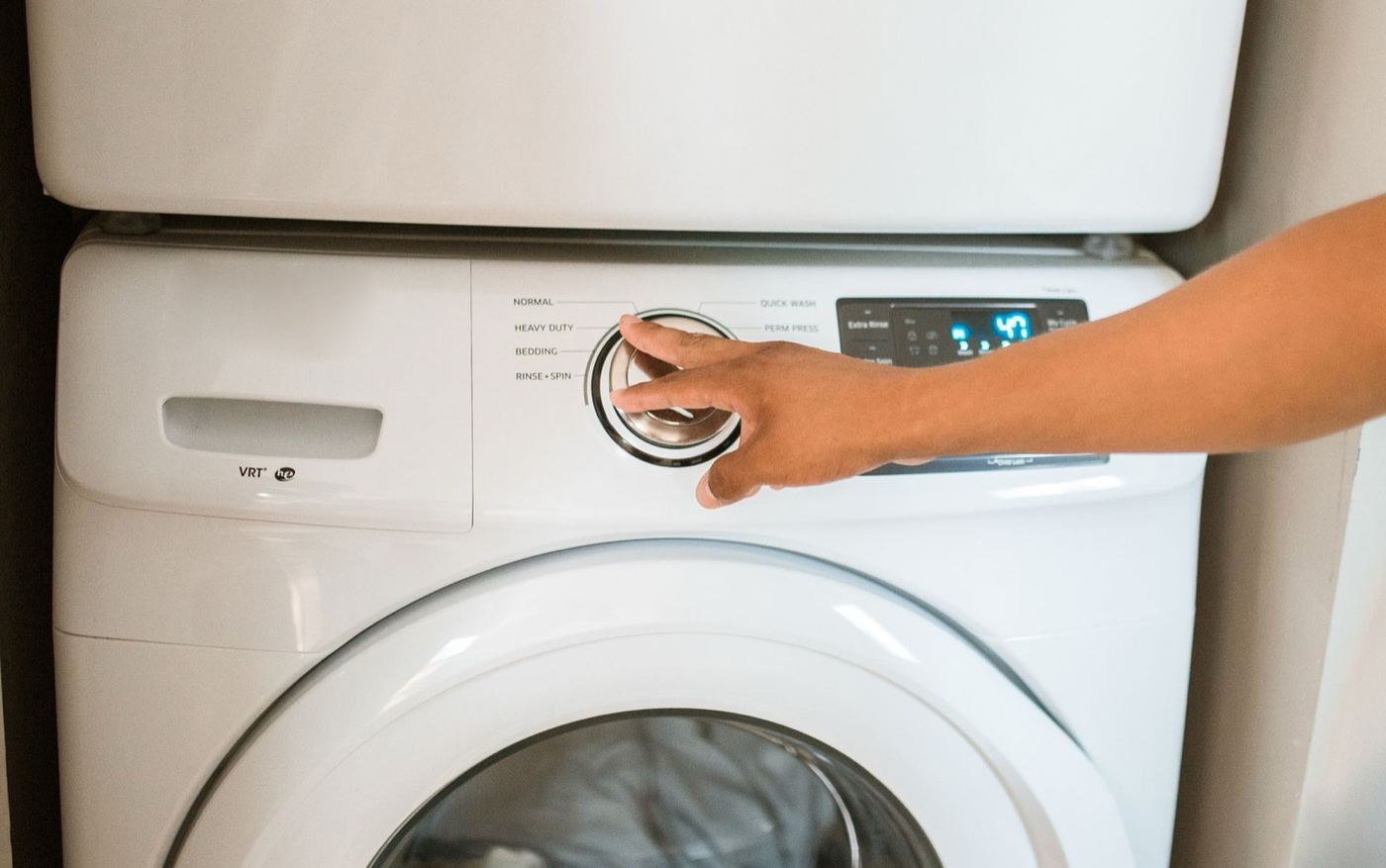
The most common cause is a washer that is not getting power, or one that has a control lock or delay start turned on by accident. Both take a minute to check. If the lights come on but the cycle never begins, the door or lid latch is the next place to look. Working through the causes below in order will point you toward the real issue fastest.
When a washer will not start, it is easy to assume the control board has failed. In practice, the cause is often something simple, a plug that was bumped loose or a lock setting that was switched on, sitting alongside several electrical causes that need a licensed technician.
Below are the eight causes we see most often, ordered from most to least common, along with the signs that separate one from another and an honest answer on whether it is safe to check yourself.
Jump to a cause
- Not plugged in, tripped breaker, or dead outlet
- Control lock, child lock, or delay start turned on
- Door or lid not closed or latched fully
- Error code or a control that needs a reset
- Faulty door lock or lid switch
- Blown thermal fuse or damaged wiring
- Worn start button or user control panel
- Failed main control board
Not plugged in, tripped breaker, or dead outlet
A washer that shows no lights and makes no sound is often not getting power at all. A plug that was bumped loose, a tripped breaker or GFCI outlet, or a dead outlet is a quick check before anything else.
- The display is completely dark and nothing responds
- The plug looks loose, or the washer was moved recently
- Other things on the same outlet or circuit also stopped working
- A breaker has tripped, or a GFCI outlet shows a tripped button
Control lock, child lock, or delay start turned on
Many washers have a control lock or a delay start setting that is easy to switch on by accident. The washer then looks lit and ready, but ignores the Start button or waits hours before beginning.
- The display lights up, but pressing Start does nothing
- A lock or key symbol, or a delay time, shows on the display
- Buttons were pressed by children or while the panel was being cleaned
- The washer worked normally until the settings were changed
Door or lid not closed or latched fully
A washer will not start unless the door or lid confirms it is closed and locked. A load caught in the door, a lid that is not fully down, or a worn latch can all stop the cycle before it begins.
- The display lights up, but the cycle never begins
- The door or lid does not click firmly when closed
- Clothing or a sleeve is pinched at the edge of the door
- The door lock light or door icon does not turn on
Error code or a control that needs a reset
Washers show error codes when a sensor detects a problem, and some will not start until the error is cleared. A brief electronic glitch can also leave the controls unresponsive until the power is cycled.
- A code or a flashing light appears on the display
- The washer stopped partway through the previous cycle
- The controls respond slowly or randomly
- The problem started after a power flicker or an outage
Faulty door lock or lid switch
The lock and the switch confirm the door is closed and keep it locked during the cycle. If either wears out, the washer thinks the door is open even when it is not.
- The door closes and clicks, but the washer still will not start
- The door lock light never turns on
- A buzzing or clicking sound comes from the door area when Start is pressed
- It works only when the door is held a certain way
Blown thermal fuse or damaged wiring
A thermal fuse is a one-time safety part, and loose or damaged wiring can interrupt power inside the cabinet. Either one can leave the controls or the motor without power.
- The display is dark even though the outlet is working
- The washer stopped suddenly after a power surge or an electrical storm
- A burning smell or a tripped breaker happened right before it stopped
- The washer was recently moved or tilted
Worn start button or user control panel
The buttons and the dial are small electronic parts that wear out or fail after spills, moisture, or years of use. The display may light up while a worn Start button no longer registers.
- The Start button feels dead while other buttons still work
- Some buttons work and others do not
- The panel was exposed to water or detergent spills
- The dial no longer clicks into settings
Failed main control board
The main control board manages power to the motor, the pump, the valves, and the lock. If it fails, the washer can show lights or a display and still never start a cycle.
- The display lights up, but nothing happens at all
- Behavior is random or inconsistent from one cycle to the next
- All the simpler causes were checked and ruled out
- The washer is several years old and went through a recent power surge
Not sure which one matches? Start here
No lights, no display, and no sound at all
- Most likely: power, breaker, or outlet
- Also check: thermal fuse or wiring and control board
The display lights up, but the cycle never begins
- Most likely: control lock or delay start or the door or lid
- Also check: error code and door lock
Not sure which one it is?
Skip the guesswork. Tell us what you're seeing and a technician will help pin down the cause.
What to check yourself first
These items are safe to check without tools. Press Start once each time and wait a minute before trying again.
Unplug the washer before touching the cord or the plug, keep the floor around it dry, and never open the control panel or the cabinet yourself.
Check the power. Push the plug in, reset the breaker or GFCI outlet, and test the outlet.
Look for a lock or delay setting. If you see a lock symbol or a delay time on the display, turn it off.
Close the door or lid firmly. Clear any clothing caught at the edge and listen for the click.
Reset the washer. Unplug it for a few minutes, plug it back in, and try again.
Read the display. Look up any error code in your manual before pressing Start again.
When to call a professional
Some signs point straight to a licensed technician rather than a DIY fix. Call for service if you notice any of the following:
- No lights or display at all after checking the plug, outlet, and breaker
- A burning smell, buzzing, or a breaker that trips when the washer is plugged in
- A door lock light that never turns on, or a door that will not latch
- An error code that comes back after you reset the washer
- The washer is still under manufacturer warranty, since a DIY repair can void it
Revive Appliance Repair handles washers that will not start for homes and businesses throughout Walnut Creek and the surrounding service area. Our washer repair service covers diagnosis through completed repair, backed by a 90-day labor warranty.
You may also find these guides useful: troubleshooting a washer that won't drain and a dryer that runs but won't heat.